

Explore
Explore is where you discover public strategies shared by the Quantly community.
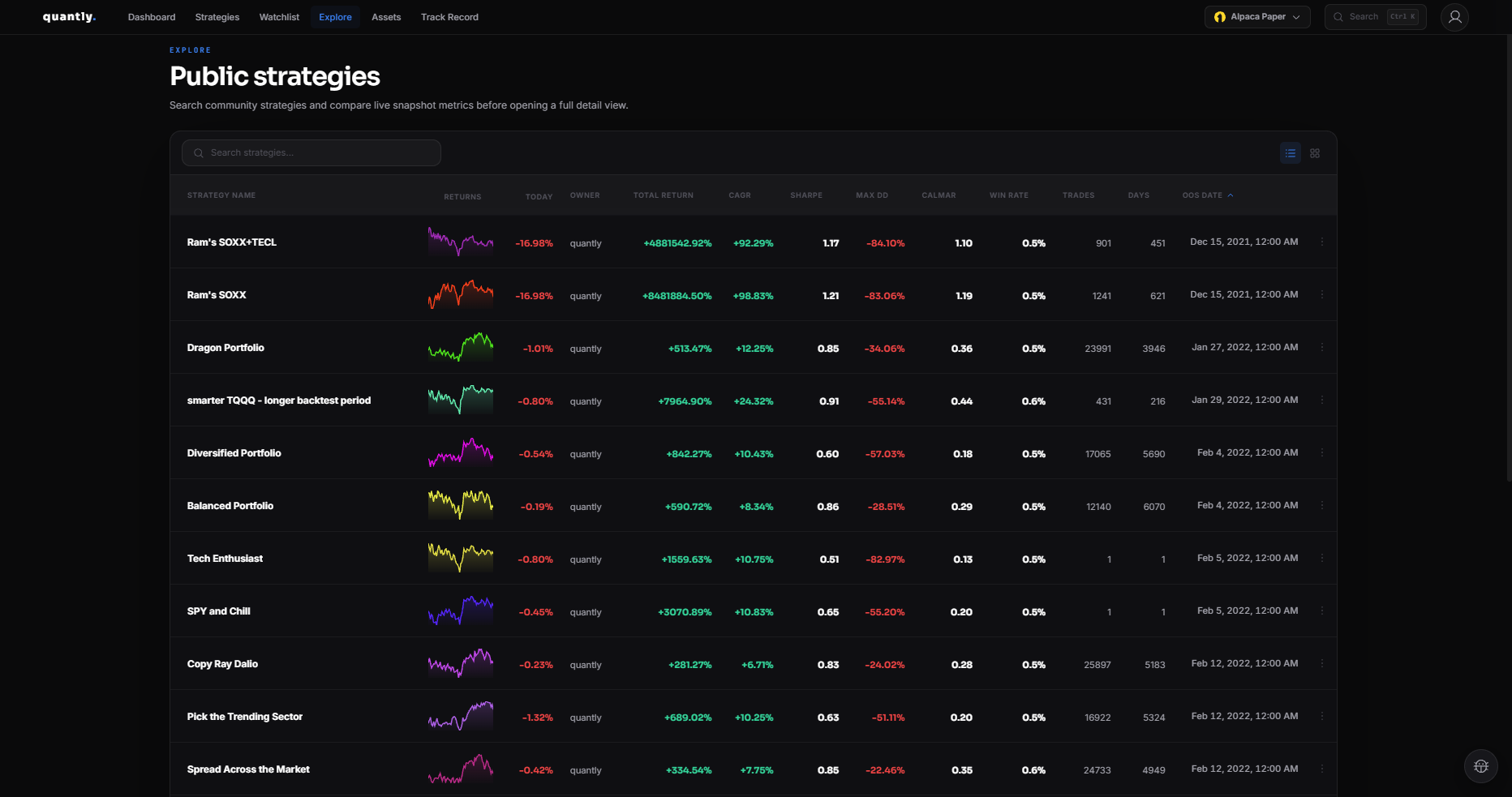
Opening Explore
Section titled “Opening Explore”Go to Explore from the main navigation.
What you can do
Section titled “What you can do”- Browse public strategies with performance summaries
- See today’s change from the latest backtest holdings
- Spot a warning when a strategy holds a delisted ticker
- View strategy details and logic (when shared)
- Copy a strategy to your library
- Add strategies to your Watchlist
- Open creator public profiles
Using community strategies
Section titled “Using community strategies”1
Find a strategy that matches your goals on Explore.
2
Open it to review Performance, Risk Analysis, and the Tear Sheet.
3
Click Copy to clone it into your Strategies list.
4
Edit the copy if needed, backtest, then invest.
Publishing your strategies
Section titled “Publishing your strategies”You can share your own strategies publicly so others can discover and copy them. Check strategy visibility settings in the editor or profile.
Related
Section titled “Related”- Watchlist - track strategies without copying
- Copy Strategies - clone workflow details
- Public Profiles - creator pages