

Holdings and Trade Log
The Dashboard includes two tabs for position-level and execution-level detail.
Holdings tab
Section titled “Holdings tab”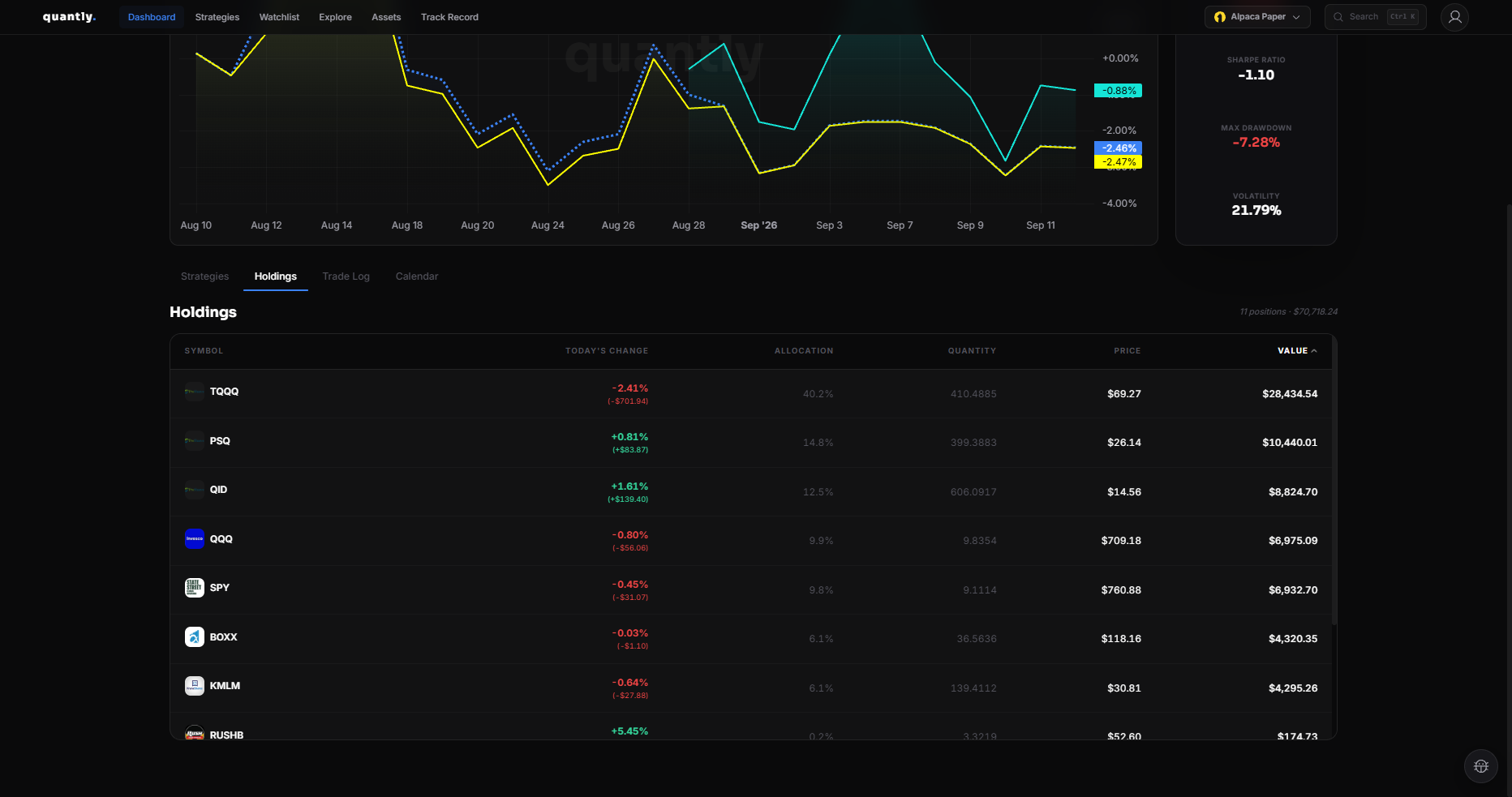
Shows all open positions across your invested strategies:
| Column | Description |
|---|---|
| Symbol | Ticker |
| Strategy | Which strategy holds the position |
| Quantity | Shares held |
| Value | Current market value |
| P&L | Unrealized profit or loss |
Cash Remainder rows show uninvested cash sitting in a strategy after sells or deposits. This is part of that strategy’s equity.
Trade Log tab
Section titled “Trade Log tab”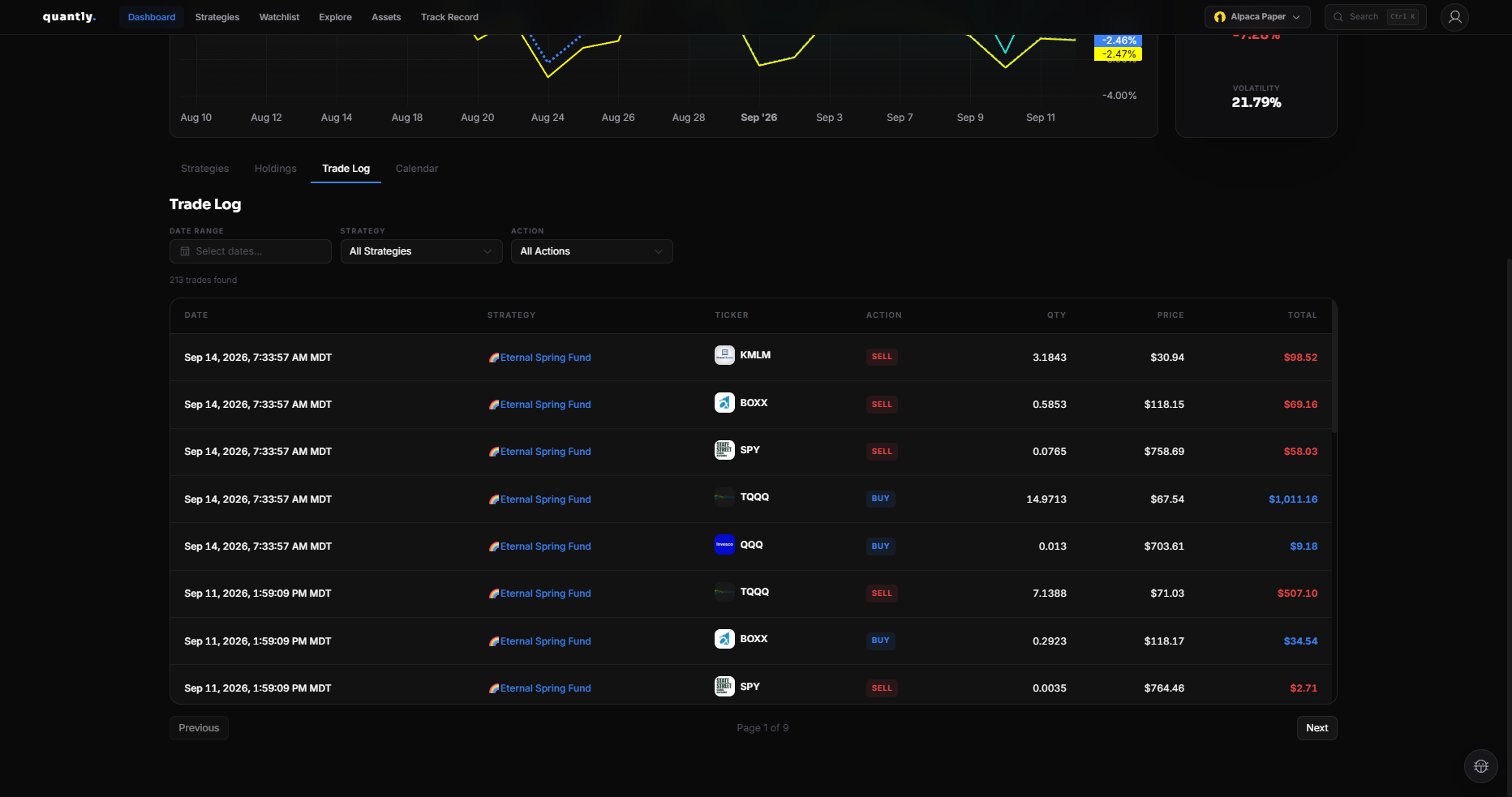
Lists recent executions and events:
- Buys and sells
- Deposits and withdrawals
- Dividends (when applicable)
- System messages
Use the trade log to verify that strategies executed as expected on recent trading days.
Filtering and refresh
Section titled “Filtering and refresh”- Filter by strategy or symbol where available
- Data updates after market activity and end-of-day processing
Related
Section titled “Related”- Dashboard - overview and equity chart
- Performance Metrics - how P&L and returns are computed